Can Large Language Models (LLMs) Lead a New Industrial Revolution?

· 16 min read
Marvin Zhang
Software Engineer & Open Source Enthusiast

Introduction

"If our era is the next industrial revolution, as many claim, artificial intelligence is surely one of its driving forces." - Fei-Fei Li, New York Times

Nearly two years have passed since OpenAI's groundbreaking AI product, ChatGPT, was unveiled in late 2022. This powerful language model not only sparked widespread public interest in artificial intelligence but also ignited boundless imagination in the industry about the potential applications of AI in various fields. Since then, large language models (LLMs), with their powerful capabilities in text generation, understanding, and reasoning, have rapidly become the focus of the AI field and are considered one of the key technologies to lead a new wave of industrial revolution. Data from PitchBook, a venture capital data platform, shows that US AI startups received over $27 billion in funding in the second quarter of this year, accounting for half of the total funding.

However, while people are constantly amazed by the magical abilities of AI, they have also gradually realized some of the current problems with AI: hallucinations, efficiency, and cost issues. In the past period, I have more or less practiced AI technology based on LLMs in my work and projects, and I have a certain understanding of its principles and application scenarios. I hope to share my insights and experiences with LLM with readers through this article.

Crawlab AI: Building Intelligent Web Scrapers with Large Language Models (LLM)

· 6 min read
Marvin Zhang
Software Engineer & Open Source Enthusiast

"If I had asked people what they wanted, they would have said faster horses" -- Henry Ford

Preface

When I first entered the workforce, as a data analyst, I accidentally experienced the ability of web crawlers to automatically extract webpage data, and since then I've been fascinated by this magical technology. As I continued to delve into web scraping technology, I gradually understood the core technologies of web crawling, including web parsing - the process of analyzing webpage HTML structure to build data extraction rules based on XPath or CSS Selectors. This process has long required manual intervention. While relatively simple for scraping engineers, if large-scale extraction is needed, this process is very time-consuming, and as webpage structures change, it increases crawler maintenance costs. This article will introduce my LLM-based intelligent web scraping product: Crawlab AI. Although it's still in early development, it has already shown great potential and promises to make data acquisition easy for data practitioners.

As the founder of the web scraping management platform Crawlab, I've always been passionate about making data acquisition simple and easy. Through constant communication with data practitioners, I realized the massive demand for intelligent scrapers (or universal scrapers) - extracting target data from any website without manually writing parsing rules. Of course, I'm not the only one researching and trying to solve this problem: In January 2020, Qingnan released the universal article parsing library GeneralNewsExtractor based on punctuation density, which can implement universal news crawlers with 4 lines of code; In July 2020, Cui Qingcai released GerapyAutoExtractor, implementing list page data extraction based on SVM algorithms; In April 2023, I developed Webspot through high-dimensional vector clustering algorithms, which can also automatically extract list pages. The main problem with these open-source software is that their recognition accuracy has some gaps compared to manually written crawler rules.

Additionally, commercial scraping software Diffbot and Octoparse have also implemented some universal data extraction functionality through proprietary machine learning algorithms. Unfortunately, their usage costs are relatively high. For example, Diffbot's lowest plan requires a monthly subscription fee of $299.

SRead Chrome Extension Released!

· 3 min read
Marvin Zhang
Software Engineer & Open Source Enthusiast

Introduction to SRead

SRead is a smart reading assistant, whether you enjoy reading articles or viewing electronic papers, you can utilize SRead for assisted reading. SRead supports intelligent summarization, capable of extracting key information from the reading material and summarizing it; additionally, it can perform intelligent Q&A, answering any relevant information within the article. Moreover, SRead's mind map feature can help readers quickly grasp the outline of the entire piece.

Chrome Extension

The new Chrome extension of SRead brings a major upgrade to the browser reading experience. Once this extension is installed, users can directly enjoy all the features of SRead on Chrome browser without the need to download any additional applications. This extension includes a simplified toolbar, making it easy for users to quickly access the intelligent summarization, intelligent Q&A, and mind-mapping features while reading. Another important feature of this extension is that it can automatically recognize web page content, providing real-time intelligent assistance to users, making the reading experience smoother and more efficient.

Installation and Usage

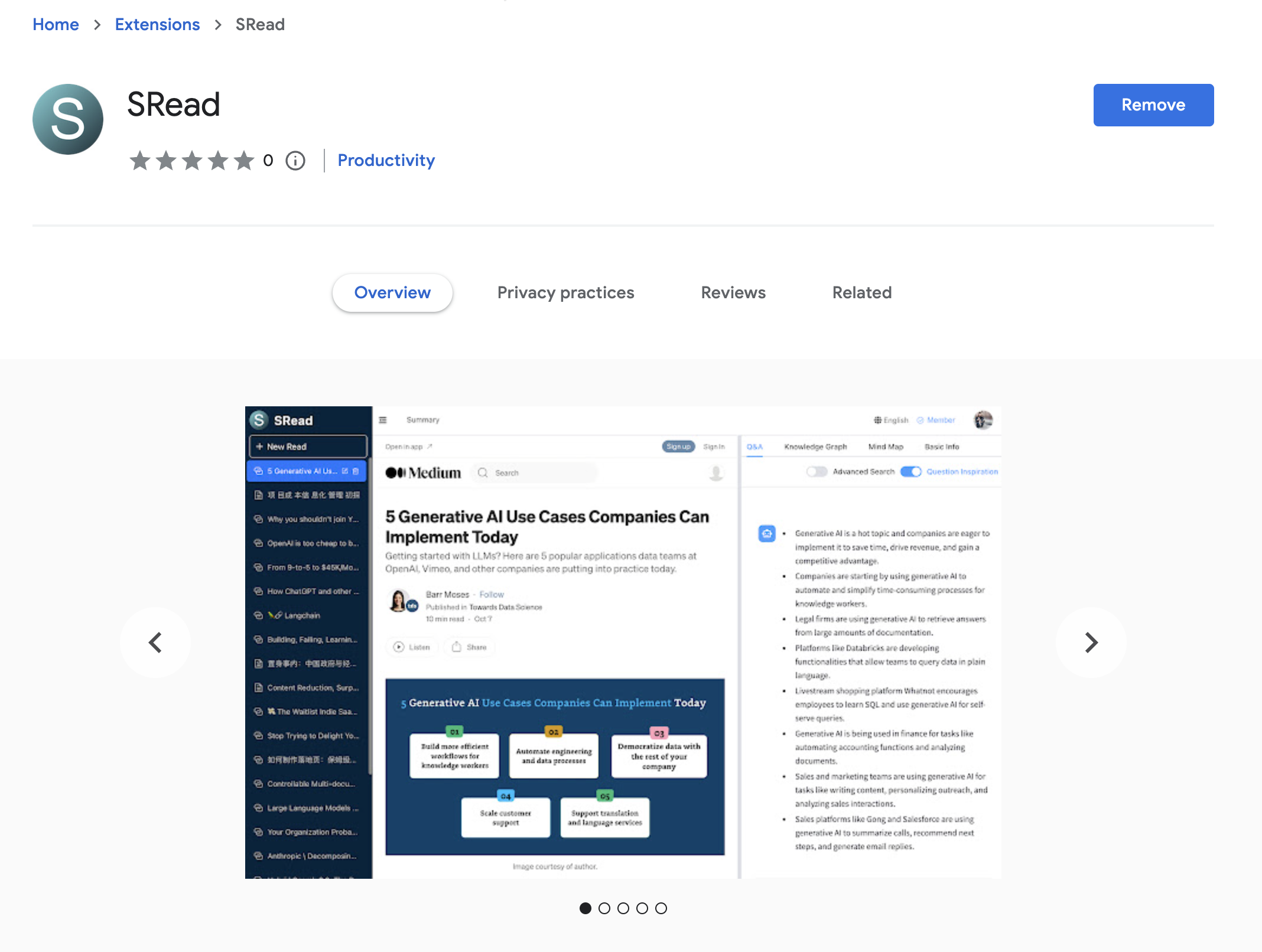
Installing the SRead Chrome extension is very straightforward. Users first need to log on to the SRead website (https://sread.ai), and register/login with Gmail or WeChat. Then visit the Chrome Web Store, search for "SRead", and click the "Add to Chrome" button. Once the installation is complete, the SRead icon will appear on the toolbar, clicking the icon activates the extension and users can start using it.

Chrome Web Store

OpenAI Function Call API in Langchain Library

· 4 min read
Marvin Zhang
Software Engineer & Open Source Enthusiast

Introduction

While exploring the field of artificial intelligence, we often need to leverage existing APIs to implement specific functionalities. Recently, while exploring the Langchain library, I discovered an interesting feature: using OpenAI's function call API to perform specific operations in a chain. This not only demonstrates how to obtain structured outputs from ChatOpenAI but also how to create and execute function chains. This feature offers us a new possibility, enabling the execution of multiple functions within a chain. Through this approach, we can obtain structured outputs based on specific inputs, thus providing more accurate data for subsequent operations.

LangChain OpenAI Functions

Firstly, we need to understand how to obtain structured outputs from ChatOpenAI. In the Langchain library, there's a create_structured_output_chain function that can accept either a Pydantic class or JsonSchema for structured output formatting. This way, we can force the model to return outputs in a specific structure, facilitating subsequent processing.

For instance, we can create a Person class to describe basic information about an individual:

from langchain.pydantic_v1 import BaseModel, Field

Building an Efficient Knowledge Question-Answering System with Langchain

· 3 min read
Marvin Zhang
Software Engineer & Open Source Enthusiast

Introduction

Knowledge Question-Answering Systems (KQA) are one of the core technologies in the field of Natural Language Processing (NLP). They help users to quickly and accurately retrieve the information they need from a vast amount of data. KQAs have become essential tools for individuals and businesses to acquire, filter, and process information. They play a significant role in various domains like online customer service, smart assistants, data analytics, and decision support.

Langchain not only offers the essential modules to build a basic Q&A system but also supports more complex and advanced questioning scenarios. For example, it can handle structured data and code, allowing Q&A operations on databases or code repositories. This significantly expands the scope of KQA, making it adaptable to more complex real-world needs. This article will introduce how to build a basic KQA system with Langchain through a simple hands-on example.

flow.jpeg

Hands-On

Next, we will go through a hands-on example to guide you through building a KQA system with Langchain.

1. Document Loading and Preprocessing

Exploring Crawlab: Your New Enterprise Web Scraping Management Choice

· 3 min read
Marvin Zhang
Software Engineer & Open Source Enthusiast

Introduction

In the modern data-driven era, acquiring and managing online information has become crucial. To provide powerful support for enterprises and developers, Crawlab has emerged as an enterprise-level web scraping management platform characterized by being ready-to-use out of the box. Regardless of your team size, Crawlab can provide professional and efficient web scraping management solutions.

Core Features

Crawlab's core features include distributed system management, spider task management and scheduling, file editing, message notifications, dependency management, Git integration, and performance monitoring, among others. Its distributed node management allows spider programs to run efficiently across multiple servers. No more worrying about manual uploading, monitoring, and deployment hassles - Crawlab automates all of this, ensuring you can easily schedule spider tasks and view spider program running status and task logs in real-time.

Spider List

Key Highlights

Unleash Your Reading Potential: Embark on a New Intelligent Reading Experience with SRead

· 3 min read
Marvin Zhang
Software Engineer & Open Source Enthusiast

"Reading is an adventure of the mind, and knowledge is the fuel for the soul."

In today's information explosion, reading has become an indispensable part of each of us. However, traditional reading methods often drown us in a sea of information, making it hard to discern what knowledge is genuinely useful. Against this backdrop, SRead comes into being.

What is SRead?

SRead is an AI-based reading assistant specially designed to enhance your reading experience. It is not just an e-book reader but also your personal reading advisor and assistant.

SRead

Intelligent Q&A: Answers On-Demand

No longer need to search online or refer to other materials when interrupted during reading; SRead's Intelligent Q&A feature can instantly answer any questions related to the content or topic at hand.

On Generative AI Technology: Retrieval-Augmented Generation (RAG)

· 4 min read
Marvin Zhang
Software Engineer & Open Source Enthusiast

Introduction

Nowadays, generative AI applications are emerging like mushrooms after rain, overwhelming in their abundance. Large Language Models (LLMs) have become exceptionally popular with the release of ChatGPT and are a typical example of generative AI applications. However, LLMs have flaws. One significant problem is hallucination: for unfamiliar questions, LLMs fabricate answers that appear professional but have no factual basis. To solve this problem, many AI-based knowledge Q&A systems adopt Retrieval-Augmented Generation (RAG) technology, enabling LLMs to provide fact-based answers and eliminate hallucinations. This article will briefly introduce how RAG works in knowledge Q&A systems.

LLMs

To understand RAG, we first need to briefly understand LLMs. Actually, through extensive parameter training, LLMs can already complete many incredible NLP tasks, such as Q&A, writing, translation, code understanding, etc. However, since LLM "memory" remains at the pre-training moment, there will definitely be knowledge and questions it doesn't know. For example, ChatGPT developed by OpenAI cannot answer questions after September 2021. Additionally, due to the existence of hallucinations, LLMs appear very imaginative but lack factual basis. Therefore, we can compare LLMs to knowledgeable and versatile sages who can do many things but have amnesia, with memories only staying before a certain time and unable to form new memories.

To help this sage achieve high scores in modern exams, what should we do? The answer is RAG.

Practical Data Science: How to Easily Rank in Kaggle Beginner NLP Competition Using sklearn

· 6 min read
Marvin Zhang
Software Engineer & Open Source Enthusiast

Introduction

Kaggle is an online community and data science competition platform for data scientists, machine learning engineers, and data analysts, featuring many rewarded data science competitions and datasets. The Kaggle community is very famous in the data science field, with many major internet companies publishing rewarded competitions with prizes ranging from tens of thousands to millions of dollars. This article introduces a recent participation in a Kaggle beginner NLP competition, which has no cash rewards but allows learning NLP-related machine learning knowledge.

Kaggle Competition

Competition Overview

This data science competition asks participants to determine whether a tweet is about a real disaster based on a given Twitter tweet. The image below shows a particular tweet containing the keyword "ABLAZE," indicating the tweet is about a house catching fire.

Disater Tweet

Practical Data Analysis: Open Source Automated Data Exploration Tool Rath

· 5 min read
Marvin Zhang
Software Engineer & Open Source Enthusiast

Introduction

Exploratory Data Analysis (EDA) is a task that data analysts or data scientists frequently need to complete when facing datasets. Using Python tools like Pandas and Seaborn can easily accomplish univariate analysis, bi-variate analysis, and multi-variate analysis, but using them for data exploration not only has certain technical barriers but also requires manually writing scripts for data operations and analysis. This article will introduce a very cool automated data exploration open source tool Rath, which can automatically complete EDA and become the Autopilot or Copilot of the data analysis world.

Rath

Installing Rath

Since Rath is still in rapid iteration and its documentation isn't very complete, the fastest way to experience it is through the demo website provided on the official site.

However, if you know some frontend technology, you can still install it locally, though the steps are slightly more cumbersome.

Before starting, ensure you have Node.js 16 and Yarn installed.